
Press play.
This is the voice you hear in the app and on the phone. Marvin talks like Marvin, except about money, orders, allergies and health, which he always says in plain, precise English.
- Saying hello
“Hi! Marvin here. Marvin always hungry, so Marvin knows food. Tell Marvin what you like, and Marvin finds you something good.”
- A check-in
“Hey, it's Marvin. Did you have lunch yet? Tell me what you ate, or say skip, and I'll leave you alone.”
- After a food scan
“Mmm, Marvin sniff. Potato and cauliflower curry, about three hundred calories. Fits your day. Marvin like!”
- Confirming an order (plain English, always)
“Your order from Poke Lab is placed: one salmon poke bowl, fourteen dollars and twenty cents in total. You have two minutes to cancel it for free.”
Wherever you are, Marvin is a message away.
In the app
Open hungrymarvin.com on your phone or computer. Chat, browse food near you and see your week. iPhone and Android apps come later.
Chat with Marvin nowText him
Add your US mobile number in Settings and reply YES. Then text Marvin like a friend: ideas, recipes, places, your plan. He texts back in the same conversation as the app. Orders by text need your 4-digit Marvin PIN.
How texting worksHe calls you
Turn on calls and Marvin rings you once a day inside the hours you choose, in his own voice, to see how eating is going. He checks it is you before he says anything personal.
Show him your food
Take a photo, scan a label or a barcode, or shoot a few seconds of video. Marvin sniffs it, names it, estimates the calories and gives a thumbs up or down against your allergies, your goals and your day.
Open the scannerCheck-ins and nudges
A notification, an email or a text at the times you pick, asking what you ate or how you feel. Always encouraging, never nagging, and you can turn each one off.
Like texting a friend who happens to run your kitchen.
The same conversation as the app, 480 characters at a time. Numbered replies do what the buttons do. Orders need YES plus your Marvin PIN, and UNDO cancels inside the window. Marvin never changes an allergy by text, and he cannot see pictures sent by text: he sends you a link to the scanner instead.
- what should I eat tonight
- Marvin thinks pho! Warm, light, lots of protein. Found: Beef pho from Pho Saigon ($13.40); Chicken pho from Pho 79 ($12.90). Reply 1 to order the beef pho, 2 for the chicken. See it in the app: hungrymarvin.com/chat
- 1
- Beef pho from Pho Saigon, 1 item, $13.40 total, pickup. To place it, reply YES and your 4-digit Marvin PIN (like YES 1234). Reply NO to skip. Nothing is ordered until then.
- YES ••••
- Placed: Beef pho from Pho Saigon, $13.40. You have 2 minutes to cancel for free. Reply UNDO or 1 to cancel it free.
Sample exchange. Prices are examples.

Did you eat lunch yet? Tap to tell Marvin, or say skip.
Placed: salmon poke bowl from Poke Lab, $14.20. Undo free for 1:42.
Marvin found $4 off taco night at Taquería Sol. It fits Friday and your budget. Want it?
Sample notifications.
He checks in. He does not nag.
Pick the times and the channel: a notification, an email, a text, or a short phone call in Marvin's own voice once a day inside your hours. Every nudge is positive. Skip is always an answer, and every channel has an off switch.
Real screens from the app.
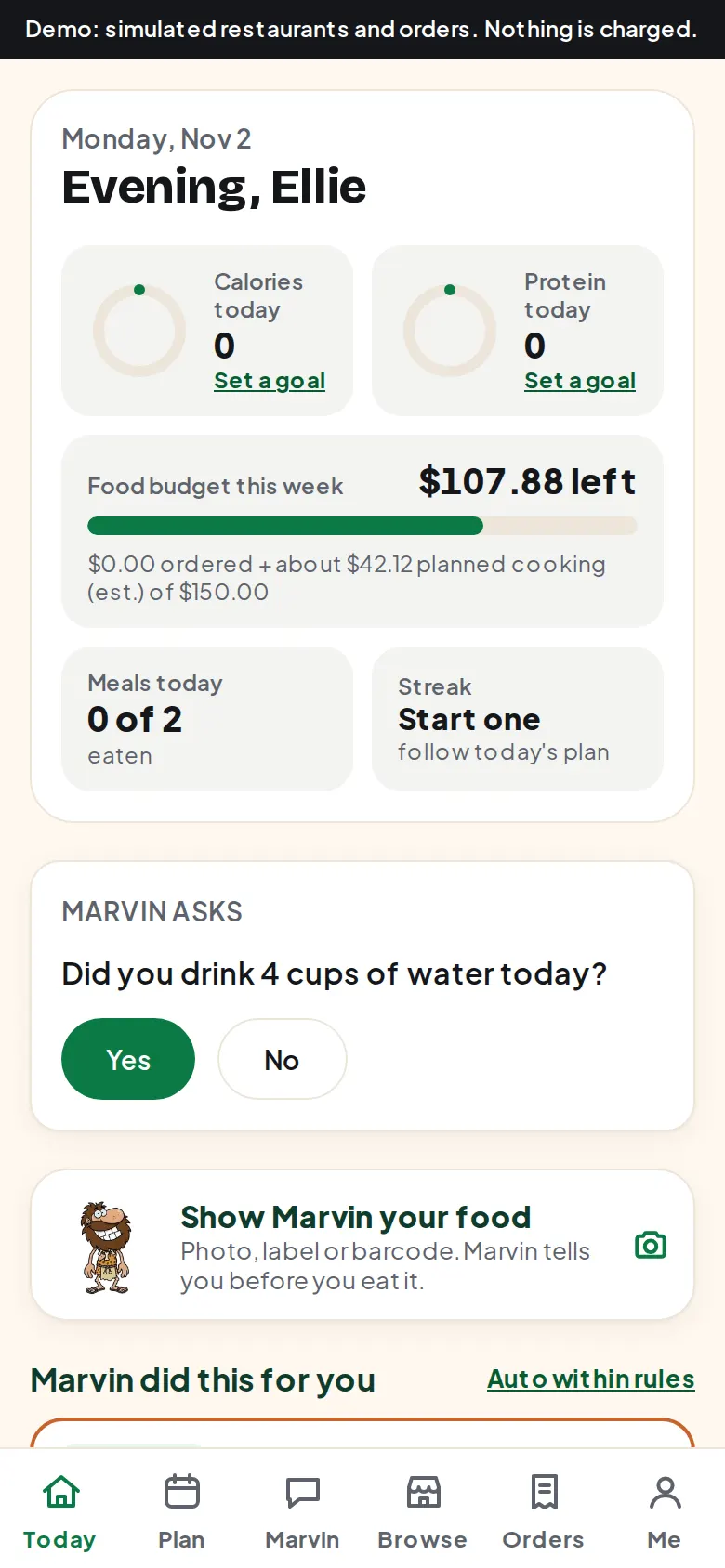
Your day, decided for you
What is planned, what you have eaten, what is left of your calories and your budget, and one tile to show Marvin your food. Nothing to work out.
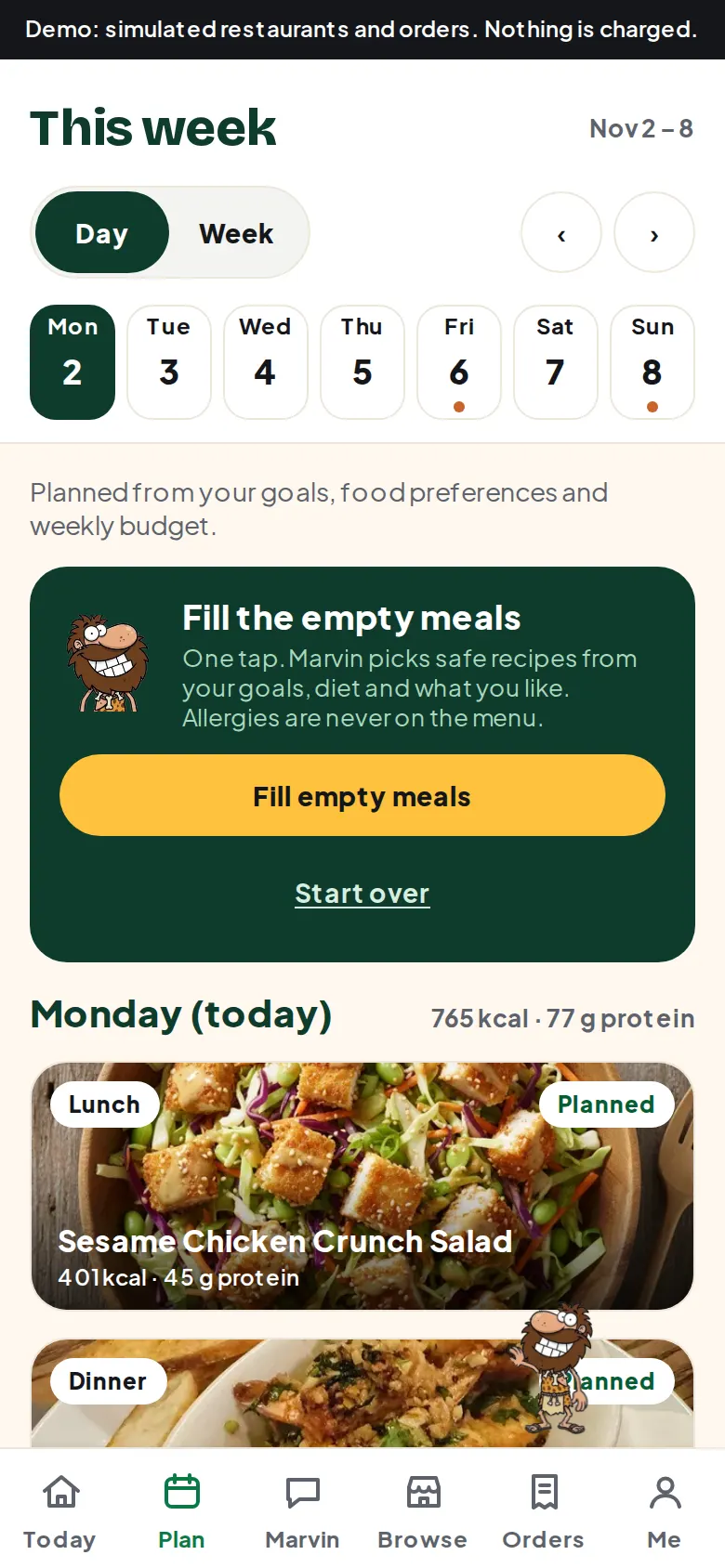
A week that fits your goals
Calories, protein, budget, cook nights and takeout nights. Marvin checks that every restaurant meal is really orderable near you. Swap anything with one tap or one sentence.
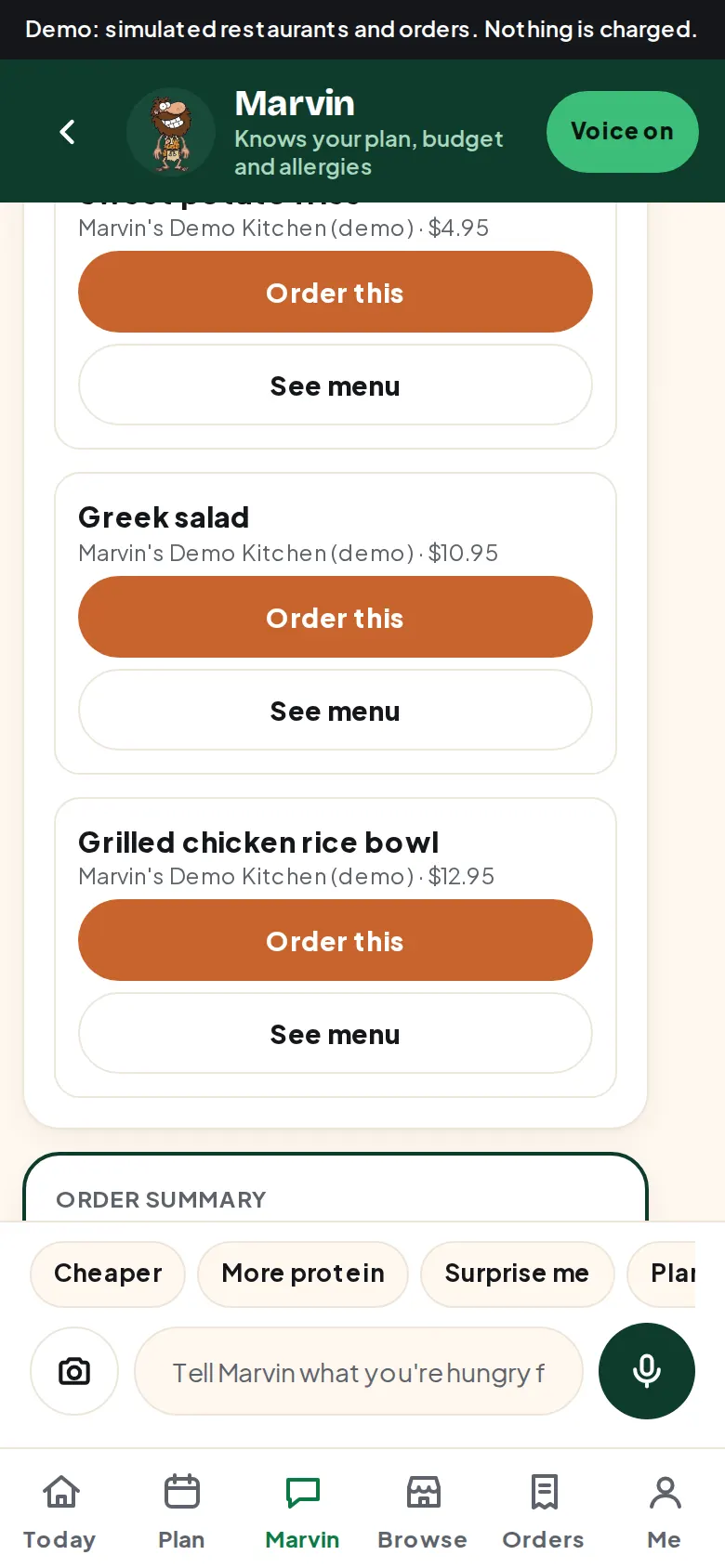
Say it, and it happens
Ask for anything. Dishes become picture cards with Order this and See menu buttons. Every order shows the exact total first, and every placed order has a free undo window before it reaches the restaurant.
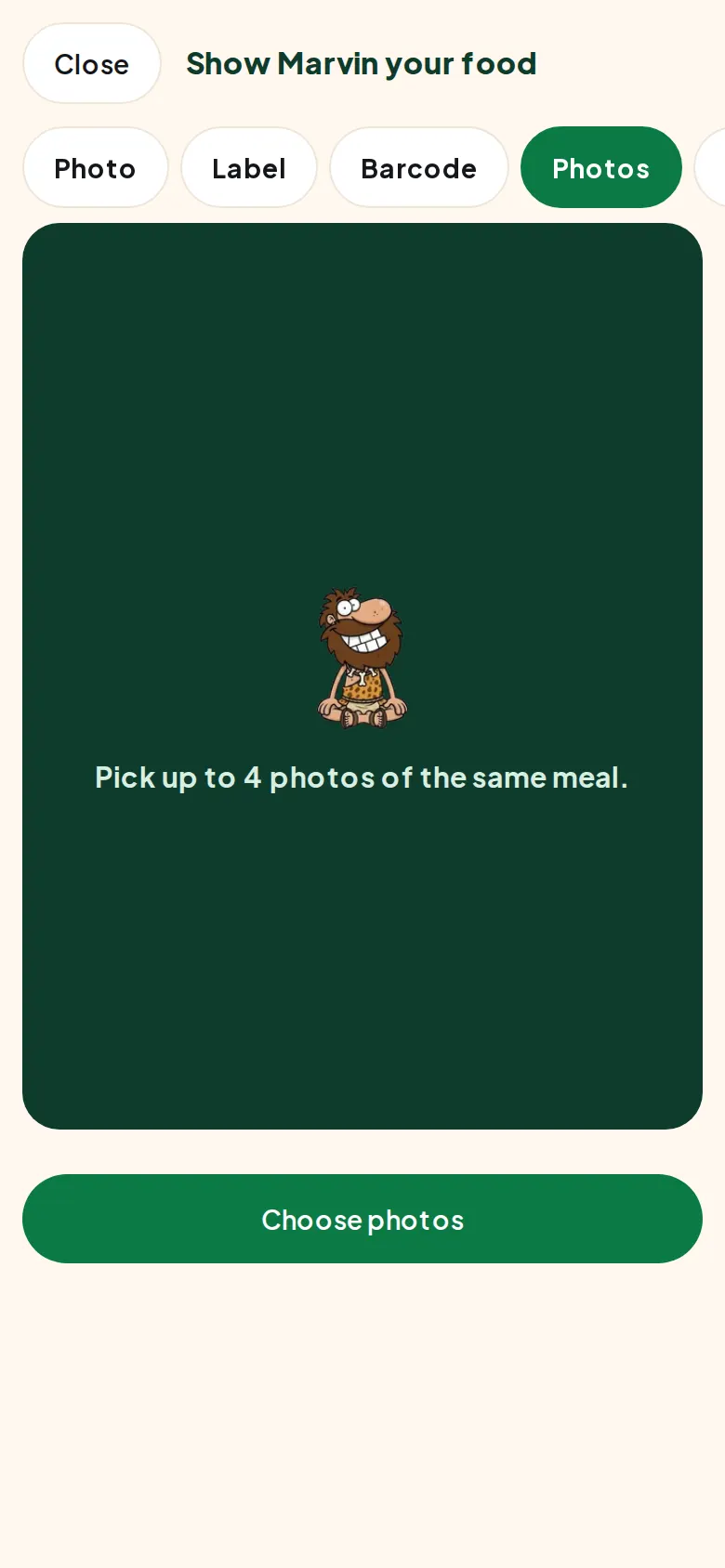
He sniffs before you eat
Photo, label, barcode, a few photos or a short video. Marvin names the food, estimates the calories and gives a thumbs up or a thumbs down. Allergies and calories over your day are always a no, in plain English.
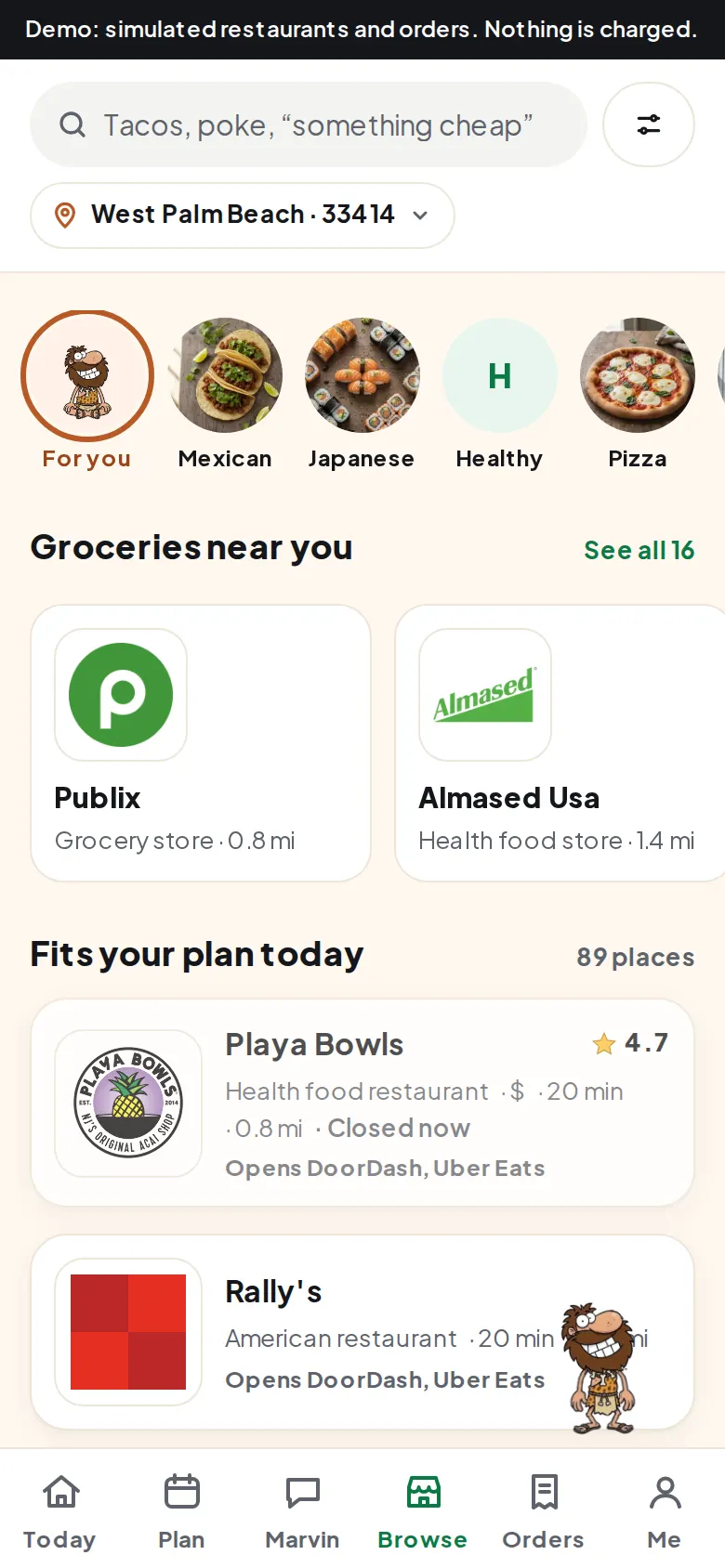
Real places near you
Restaurants, groceries and recipes around your address or ZIP code, with real menus where we have them. No account needed to look.
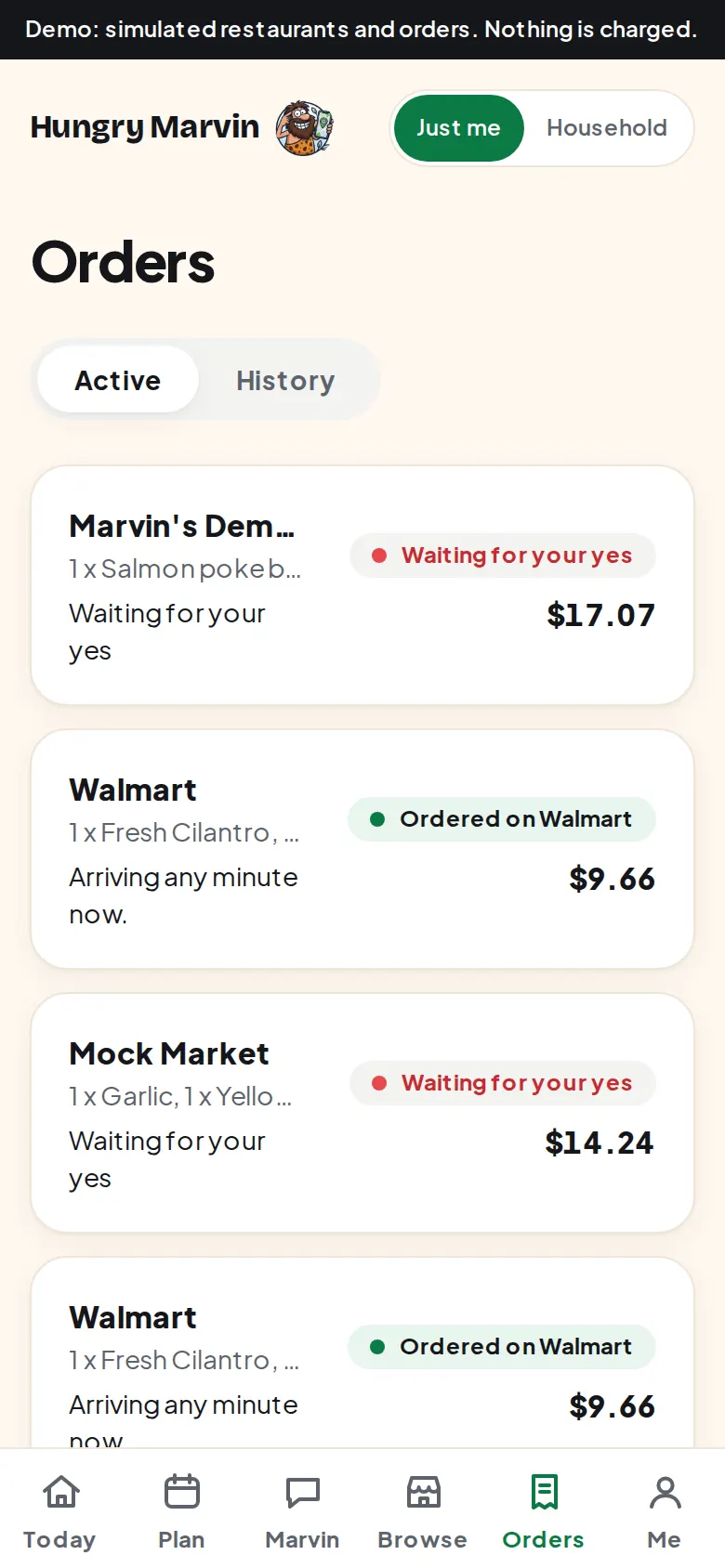
Every order, every undo
The exact total, the restaurant, pickup or delivery, and the free cancel window counting down. Marvin never spends past your weekly budget.
Screens from the current test version. Ordering is a demo there: no real order is placed and no card is charged.
Orders straight from Marvin, on a tablet.
Partner restaurants take Marvin's pickup orders on a simple tablet screen and keep more of each sale than on the big delivery apps. If nobody taps Accept, Marvin phones the kitchen himself.
Allergies are hard rules
You confirm them yourself. Marvin never guesses them, never changes them from a chat or a scan, and never orders around them.
Free undo on every order
Nothing reaches the restaurant until your undo window ends. Cancel is one tap, or UNDO by text.
Money in plain English
Prices, totals and budgets are exact and calm, never in caveman voice. Your weekly budget is a limit he cannot cross.
You see everything he knows
Every remembered fact has a source. Edit or delete any of them, or delete your whole account yourself.

Ready when you are.
Talk to him first, no account needed. Sign up when you want him to remember you, plan your week and order for you.